Deploy any web app.
Any server. Any stack.
WordPress to Node.js, Python to PHP: CloudAIPilot provisions, deploys, and manages your web applications on any cloud server with automated SSL, git-based deploys, and zero SSH required.
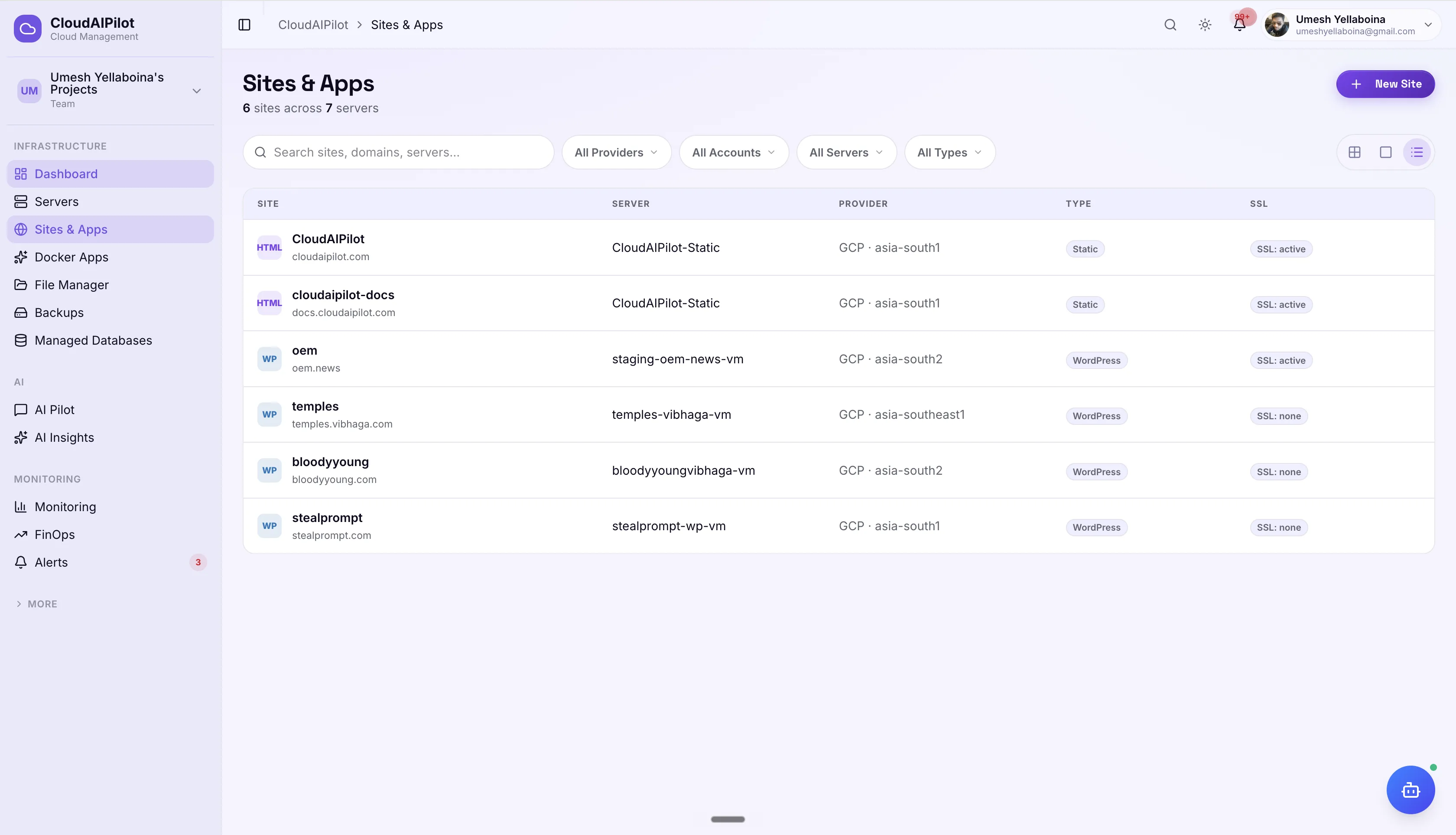
Your hosting platform. On your servers.
Every major web stack, provisioned automatically and deployed from git, on any cloud server you own. No vendor lock-in to a hosting platform.
6 stacks, fully automated
WordPress, Node.js, Python, PHP, Static HTML, or Custom. Every stack gets the right system user, web server config, process manager, database, and file permissions, set up automatically via SSH.
Git-native deploys with rollback
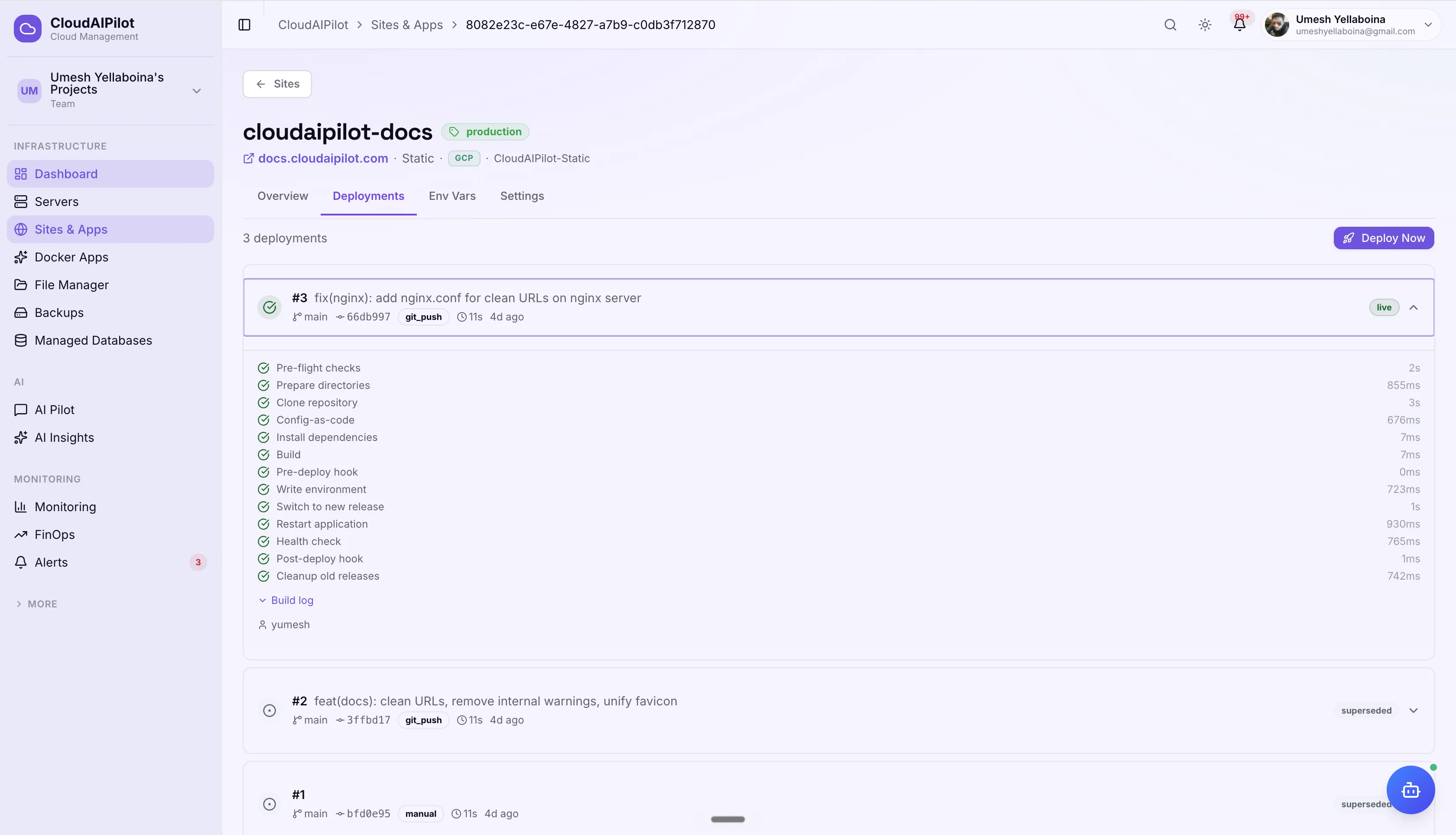
Link GitHub, GitLab, or Bitbucket. Push to deploy, or run on a cron schedule. Watch a 12-step pipeline live: install, build, health-check, switch release. Roll back to any previous version in one click.
Every server. Every cloud.
Deploy to any server you have connected: AWS, GCP, Azure, DigitalOcean, or bare metal. No new accounts, no app platform lock-in. Your servers, your infrastructure, your apps.
Every stack. Handled.
CloudAIPilot provisions the full environment for each app type: the right process manager, web server config, database, and system isolation. No bash scripts. No missed steps.
WordPress
Full WordPress install with database, system user, and Nginx reverse proxy, configured and ready. Handles both fresh installs and clones across servers.
- Auto WordPress install + DB + DB user
- wp-config.php generated with DB credentials
- Same-server or cross-server cloning
- SSL provisioned with one click
Node.js
PM2-managed Node application with Nginx as a reverse proxy. Scaffold a starter app or link a git repo, dependencies install on every deploy via npm ci.
- PM2 process manager configured automatically
- Custom port with Nginx proxy pass
- package.json-based install + build commands
- Health check path verified after each deploy
Python
Gunicorn WSGI server behind Nginx, running as a systemd service. Virtual environment auto-created. Deps installed from requirements.txt on every deploy.
- venv created and activated automatically
- Gunicorn bound to socket, managed by systemd
- Optional database + user provisioned
- Pre/post deploy hooks supported
PHP
PHP-FPM pool per site with an Nginx vhost, isolated system user, and optional MySQL/MariaDB database. Perfect for Laravel, Symfony, or any custom PHP application.
- PHP-FPM pool isolated per site
- Database + database user created automatically
- Nginx vhost configured with correct socket
- SSL provisioned via Let's Encrypt
Static HTML
Pure static files served directly by Nginx. No database, no process manager, minimal overhead. Ideal for SPAs, documentation sites, landing pages, and JAMstack builds.
- Lightweight: no database or process manager
- Nginx serves static files directly
- Git deploy with optional build step (npm run build)
- Cross-server cloning supported
Custom
Bring your own setup. Define custom install, build, and restart commands. Served via Nginx. Use this for any runtime or framework that doesn't fit the other categories.
- Custom installCommand + buildCommand
- Custom restartCommand and healthCheckPath
- Full git deploy pipeline supported
- Env vars and hooks work the same way
Push to deploy.
Roll back in one click.
Link your GitHub, GitLab, or Bitbucket repository. CloudAIPilot runs a 12-step pipeline (cloning, installing, building, pre-deploy hooks, switching releases, health-checking) live in your browser. Every step logged. Any release reversible.
12-step pipeline, tracked live
Pre-flight → Clone → Install → Build → Pre-deploy hook → Write env → Switch release → Restart → Health check → Post-deploy hook → Cleanup. Each step shows status and duration via WebSocket.
One-click rollback
Every release is preserved as a superseded snapshot. Roll back to any previous version with one click and a confirmation, no git resets, no manual file moves.
Three deploy triggers
Push webhook (deploy on every push), manual "Deploy Now" button, or a cron schedule. Notifications configurable per site: all events, or failures only.
Separate configs per environment.
Same codebase.
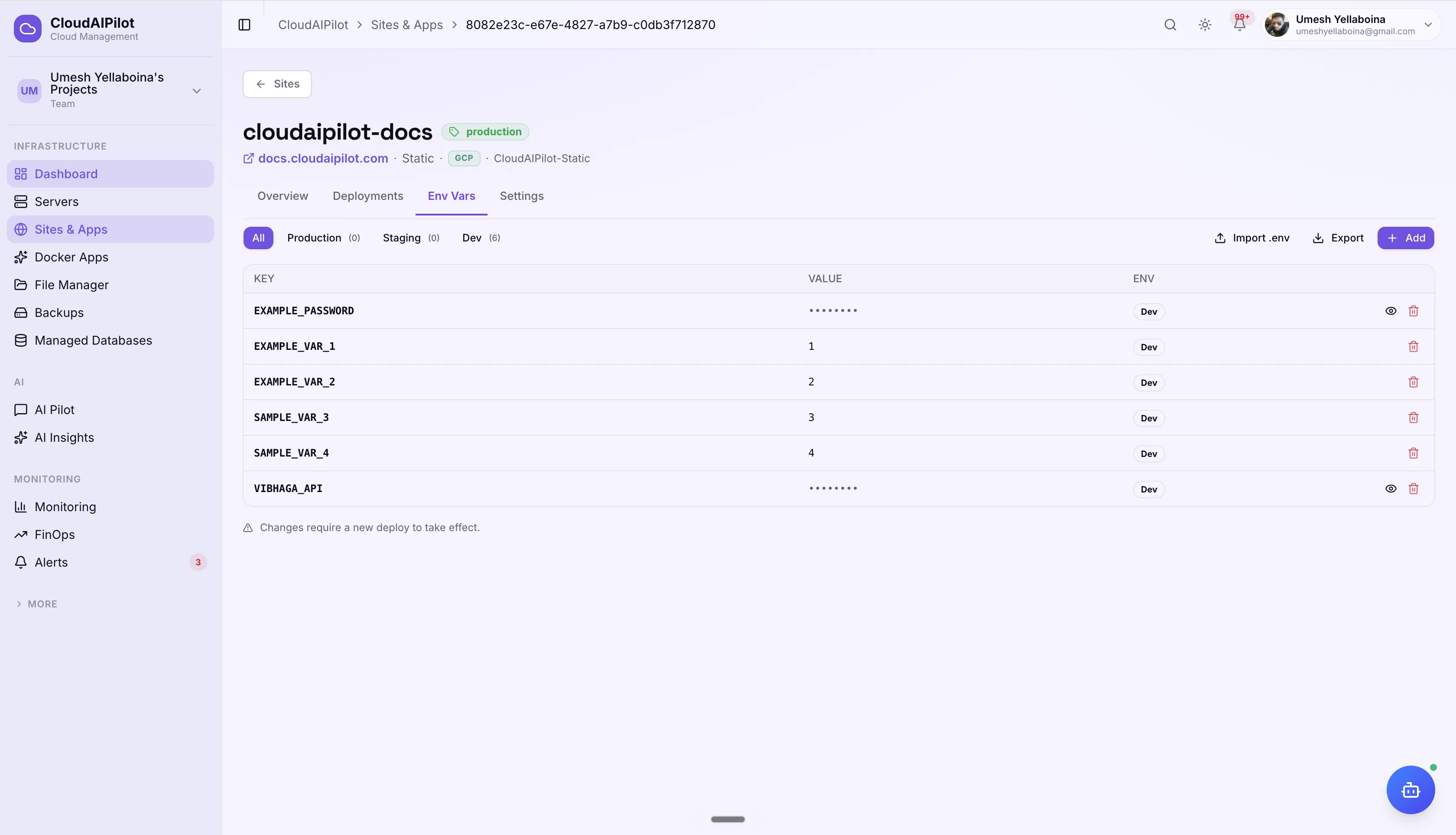
Set environment variables independently for production, staging, and dev. Import a .env file. Mask secrets. Configure build and deploy commands once, they run on every deploy.
Per-environment variables
Production, Staging, and Dev each get their own variable set. Each deployment only sees its environment's config, no risk of staging secrets leaking to production.
Import .env files
Paste a .env block and CloudAIPilot parses it into individual variables: # comments ignored, existing keys updated. Export non-secret vars back to a .env file any time.
Build config per site
Set installCommand, buildCommand, preDeployHook, postDeployHook, healthCheckPath, and deployDirectory, configured once, applied to every deploy.
Zero to running in minutes
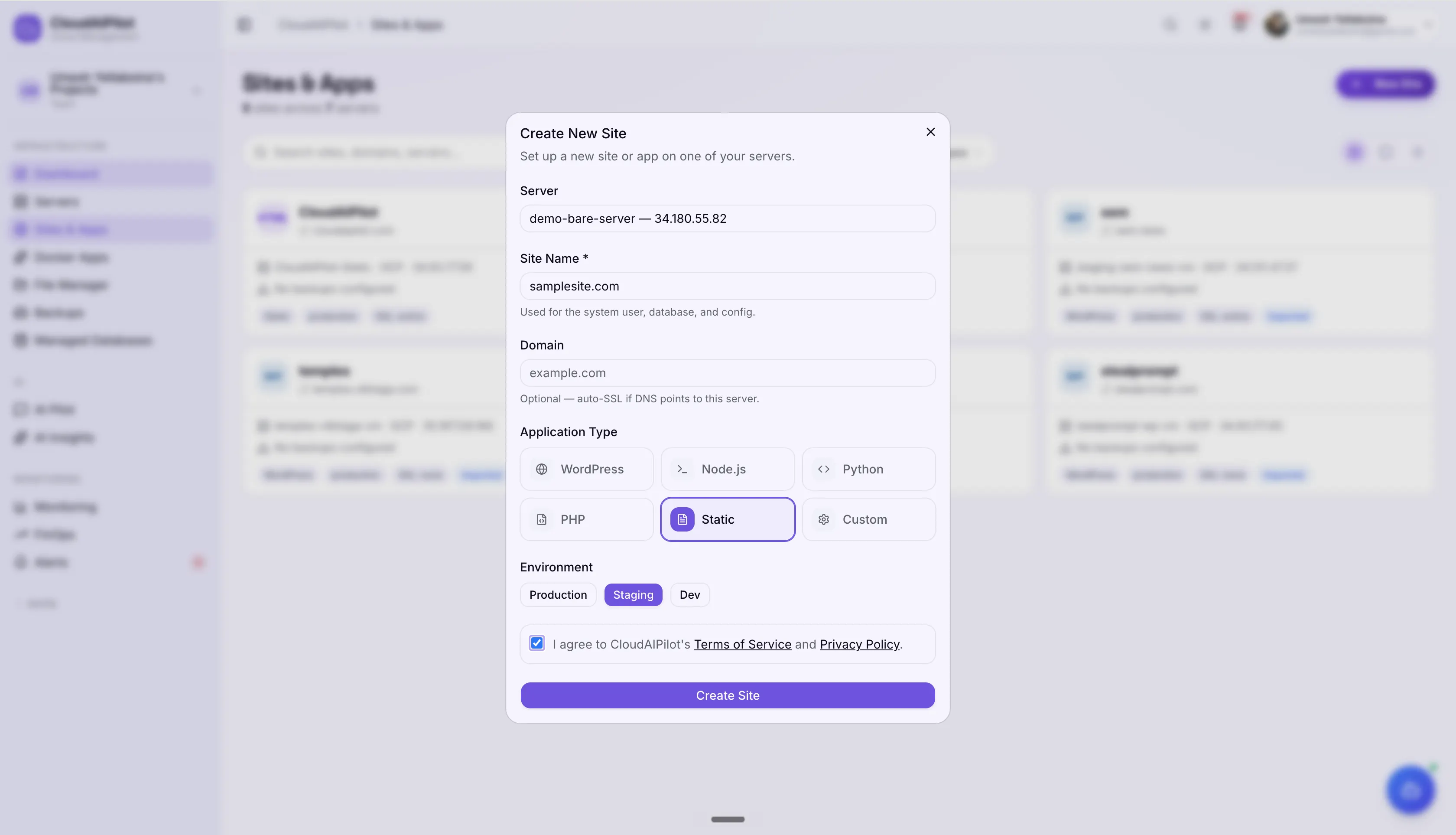
CloudAIPilot generates a tailored provisioning plan for your app type and runs it automatically via SSH: the right user, database, web server config, process manager, and SSL. No manual commands, no missed steps.
Pick a server & stack
Choose which connected cloud server to deploy to, select your app type (WordPress, Node.js, Python, PHP, Static, Custom), and give your site a name. CloudAIPilot uses this to generate the full plan.
Review the auto-generated plan
CloudAIPilot builds a step-by-step plan: system user, document root, dependency verification, database setup, web server vhost, process manager config, SSL. Review every step before confirming.
CloudAIPilot runs it
Progress streams live via SSH. Every step tracked with status and timing. On completion, DNS guidance is shown. Your site is live, SSL provisioned, and ready to link a git repo.
File access and SSL. Without the headaches.
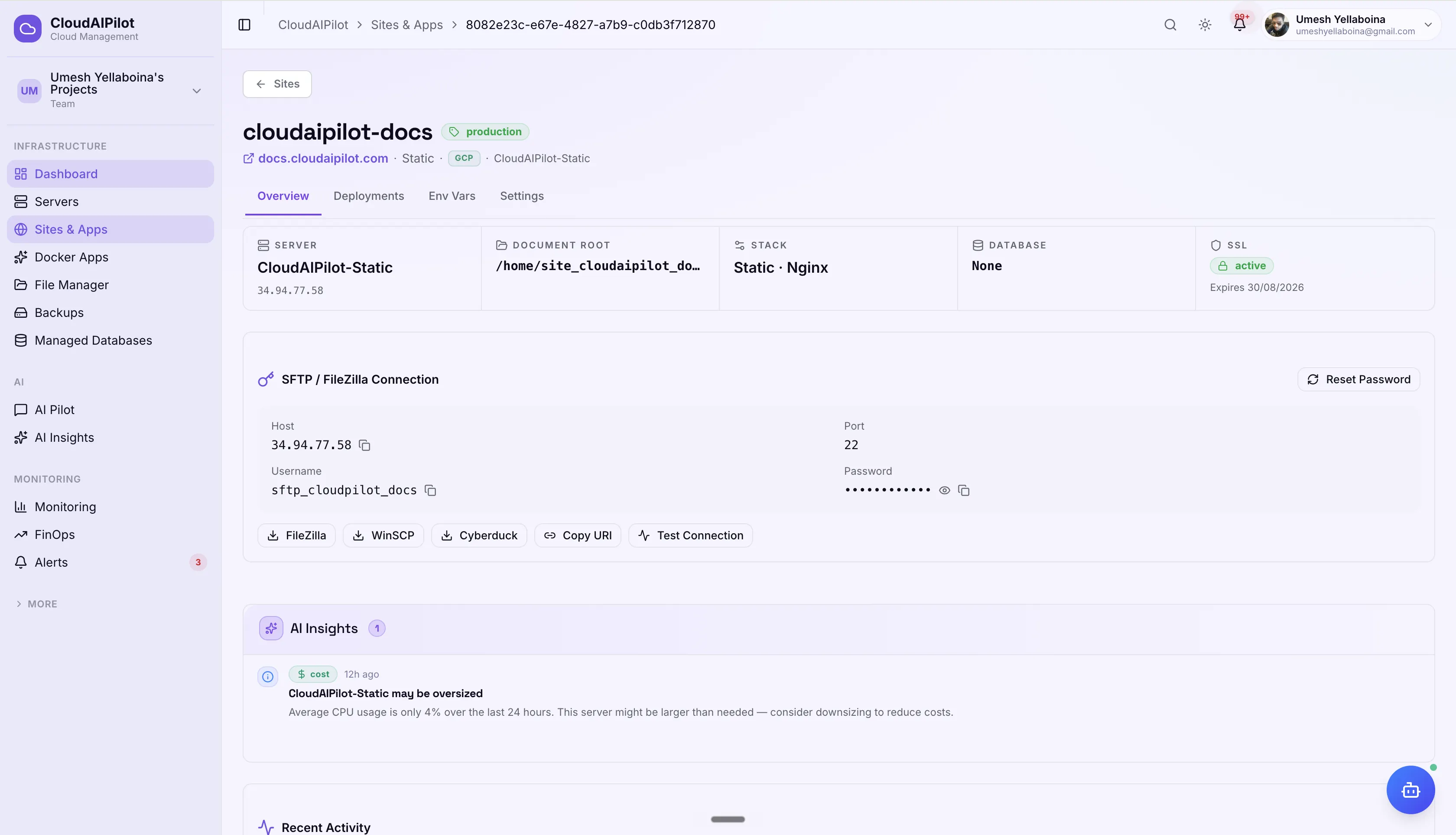
SFTP credentials and Let's Encrypt SSL provisioned from the dashboard, no SSH key management, no certbot commands, no manual server config.
SFTP credentials on demand
Generate SFTP access for any site straight from the dashboard. Credentials are created on the server automatically. Download connection config files for FileZilla, WinSCP, or Cyberduck, no manual setup.
Free SSL. Auto-provisioned.
Every site gets a free Let's Encrypt certificate provisioned with one click from the site overview. Status tracked in the dashboard: pending, active, or expired. Renewal handled automatically.
Built for real workflows.
Cloning, diagnostics, and import: tools that make managing multiple sites across your fleet practical.
Site Cloning
Clone any site to a new subdomain: same server or a different cloud server entirely. Use it to spin up a staging environment, test a migration, or duplicate a site to a new region.
AI Health Diagnostics
The AI agent can check HTTP status, response time, and SSL expiry for any site, then tail Nginx or Apache error logs and surface error-level entries. Ask the agent what's wrong and it explains.
Auto-detect Existing Sites
Already have sites running on your server? CloudAIPilot scans Nginx and Apache vhost configs via SSH, identifies app type from file markers, and imports everything into your dashboard. No manual data entry.
Your web apps. Deployed and managed.
Any stack, any cloud server. CloudAIPilot handles provisioning, SSL, git deploys, env configs, and everything in between.
No credit card required · Cancel any time