The right people.
The right access.
Zero loopholes.
46 permissions across 14 categories. Custom roles. IP allowlisting. Per-resource scoping. Real access control, not just an admin toggle.
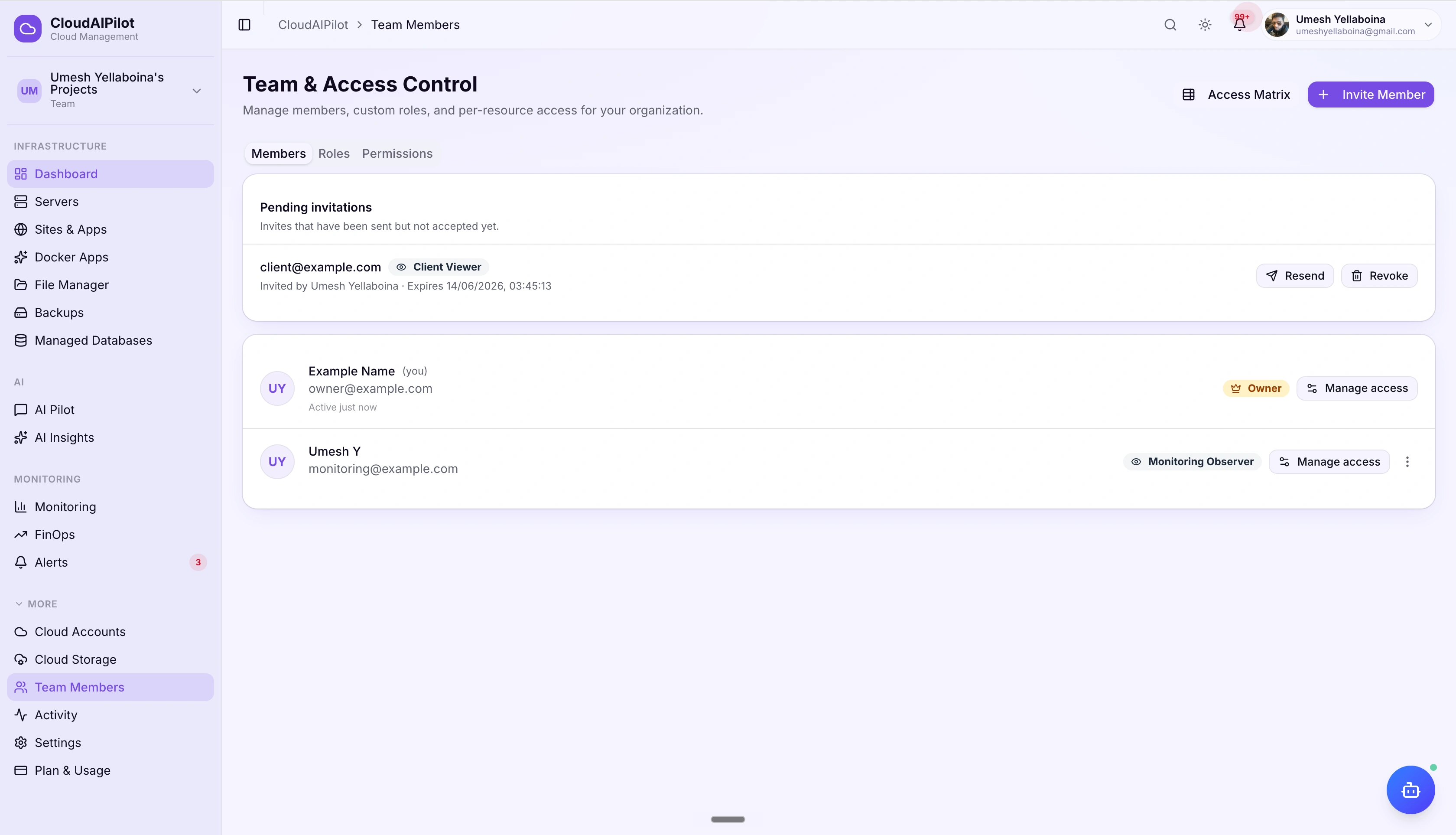
Not just admin and viewer.
Actual fine-grained control.
Most cloud panels give you three toggle levels and call it done. CloudAIPilot gives you 46 named permissions, a custom role builder, and per-resource scoping that lets you control exactly who can touch exactly which server, site, or app.
46 named permissions
Every operation in CloudAIPilot maps to a specific permission slug, not a role level. Grant exactly what a person needs and nothing more. Create servers but not delete them. Deploy apps but not touch billing.
Custom roles + 5 templates
Start from one of five ready-made role templates (Deployment Manager, Monitoring Observer, Billing Manager, Security Auditor, Client Viewer) or build from scratch. Assign a custom role to any member instead of a system role.
Per-resource access scoping
Lock a member down to specific servers, sites, or apps, without changing their role. The moment any scoped rule exists, org-wide role access is replaced: only listed resources are accessible, with configurable access levels per resource.
Four roles that cover
every team structure.
System roles are immutable baselines that map directly to real-world team responsibilities. The Owner role is inviolable: it always bypasses IP restrictions and access expiry so you can never lock yourself out.
billing:manage and server:delete. Can invite members.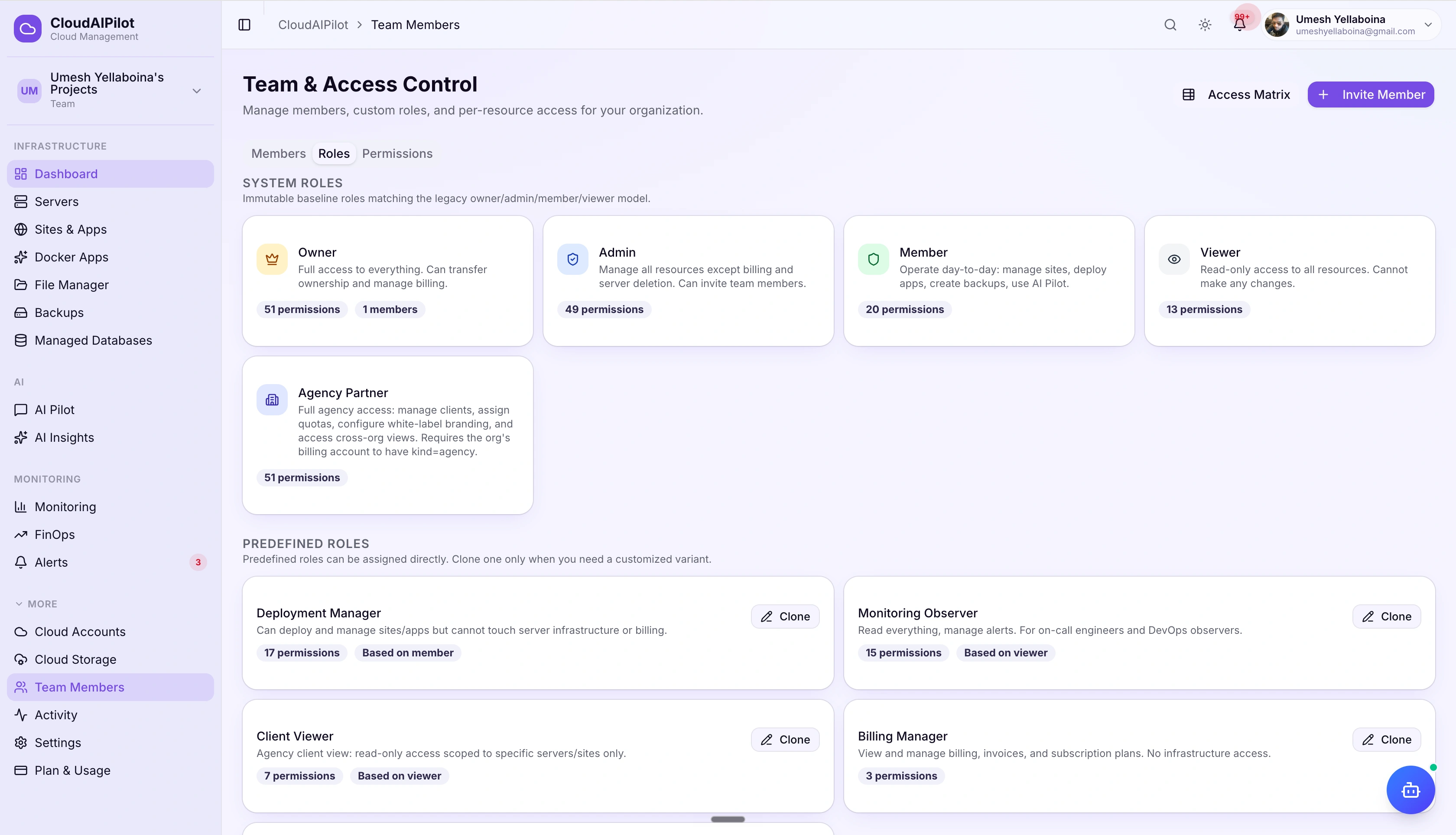
Build the exact role
your team actually needs.
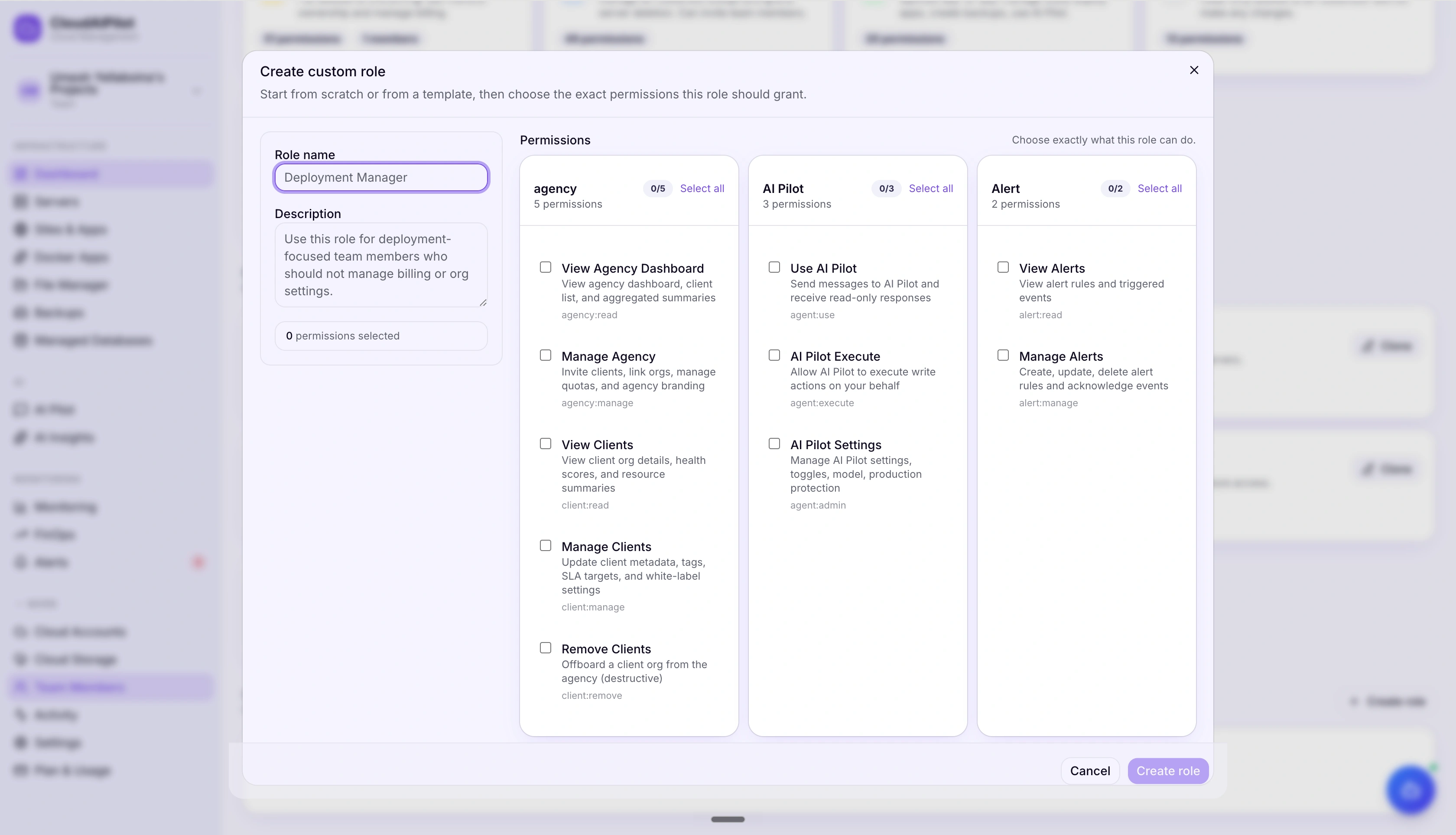
Five predefined templates are ready to assign without any customization. When you need something specific, clone a template and adjust permissions, or start from a blank slate and check exactly what you want.
Permissions grouped by category
The permission picker organizes all 46 permissions across 14 categories. Toggle an entire category or hand-pick individual slugs. The resulting permission set is what that role enforces, nothing implicit, nothing inherited.
Active / inactive toggle per custom role
Deactivate a custom role without deleting it. Members assigned to an inactive role fall back to their system role baseline, no permission gaps, no lock-outs.
More than a role change.
Full access configuration.
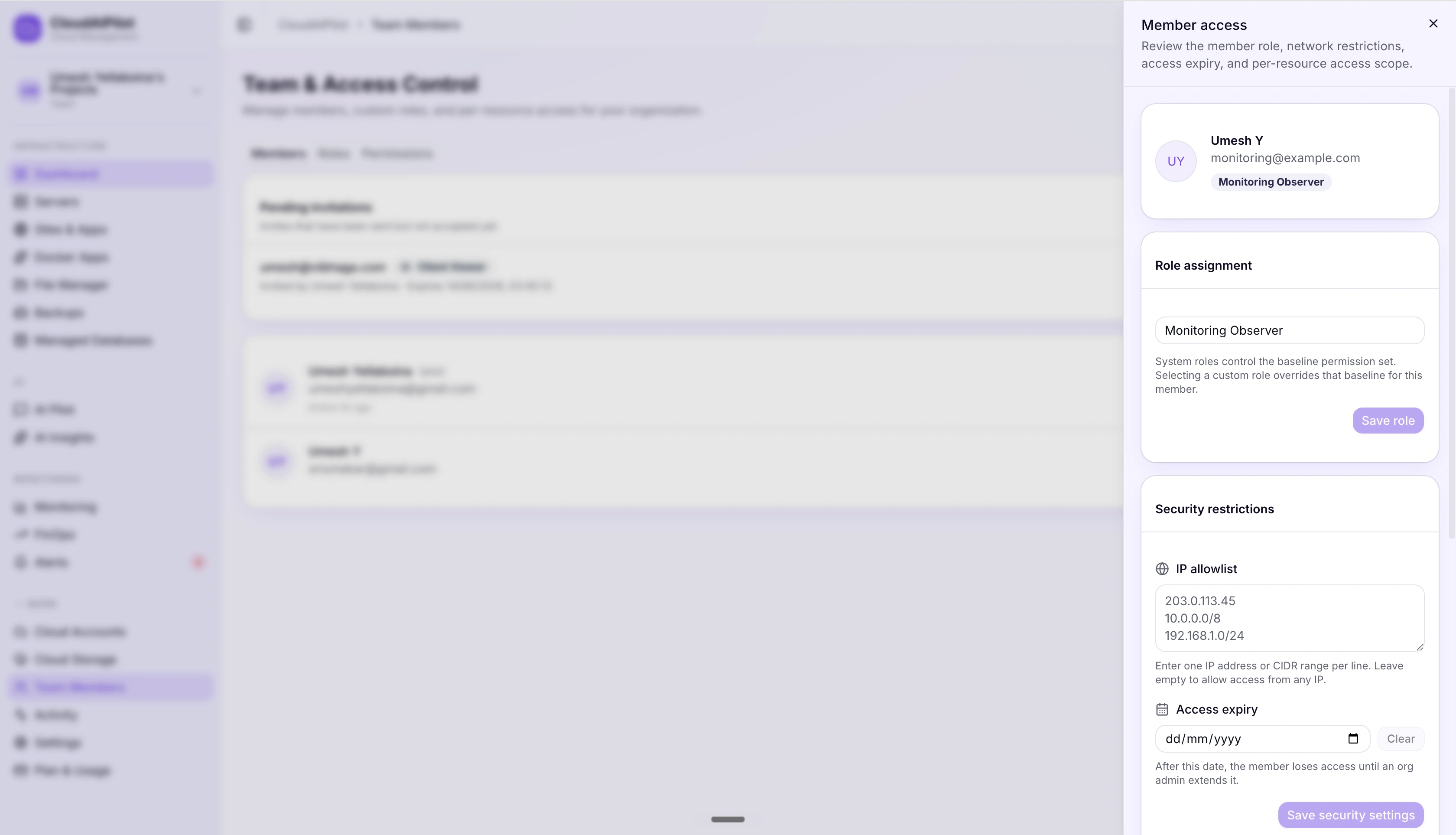
The member detail panel goes well beyond role assignment. Lock a contractor to an IP range, set an expiry so access auto-revokes, or scope them to specific resources without touching their role.
IP allowlist with CIDR support
Add individual IPv4 addresses or CIDR ranges (e.g. 203.0.113.0/24). Access from any other IP is denied at the API layer. The Owner role always bypasses, you can never lock out the org owner.
Access expiry for contractors
Set a date. When it passes, access is automatically denied, no manual cleanup required. Perfect for contractors, auditors, and temporary elevated access. Owner role always bypasses.
AI Pilot is RBAC-gated. Three tiers. No exceptions.
The AI Pilot isn't a separate system with its own access model, it runs entirely inside CloudAIPilot's RBAC engine. Three dedicated permission slugs control exactly what the AI can do on behalf of each team member.
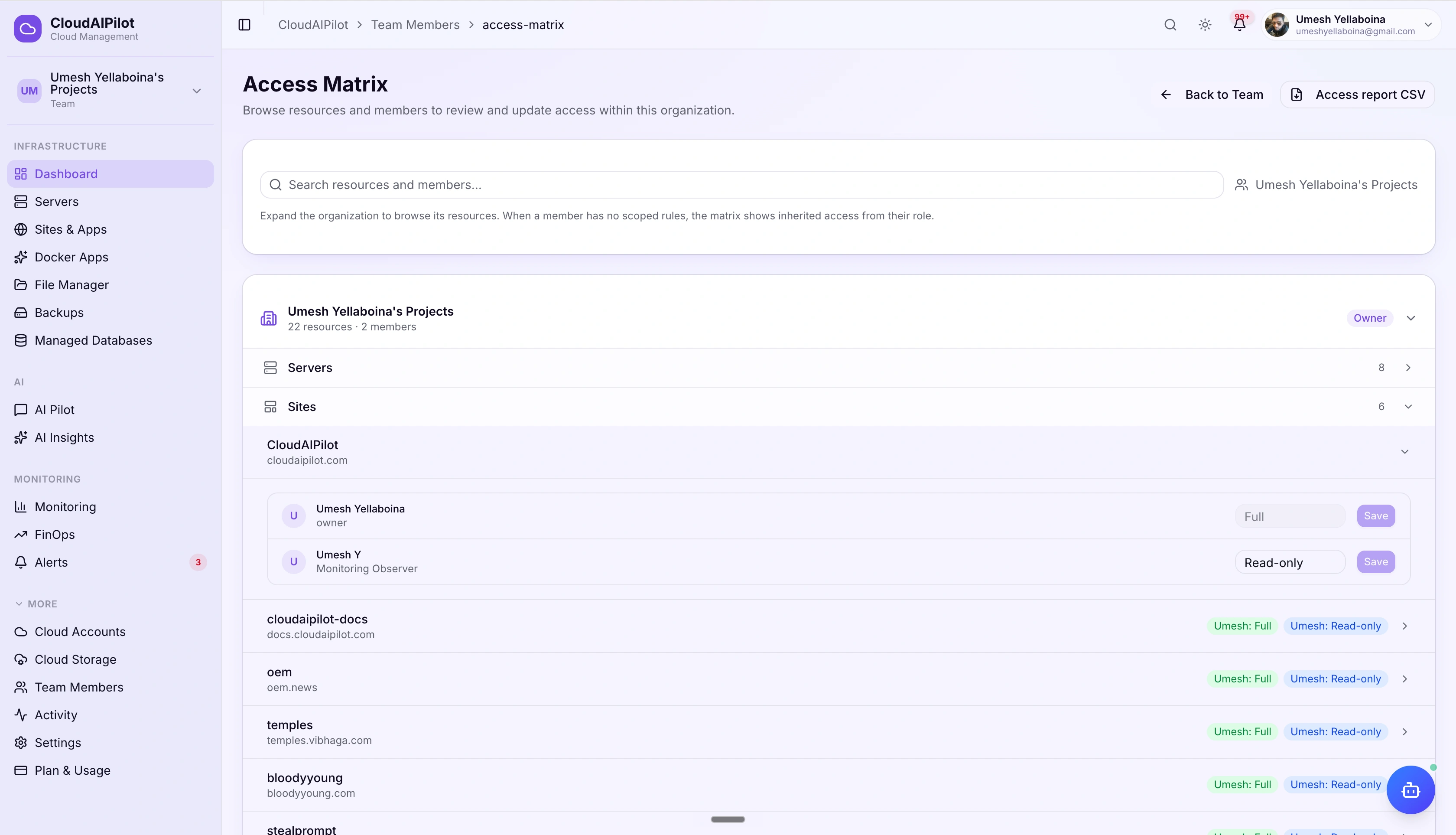
See exactly who can
touch what. At a glance.
The Access Matrix gives you a resource-first view of your entire org's permissions. Browse by server, site, or app, and see every member's access level next to each resource, with inherited vs. scoped access clearly distinguished.
Search across all resources and members
Filter the matrix by resource name or member name. Inherited access (from the member's role) and explicitly scoped access are labelled separately so you always know why a member has access.
Export access report as CSV
One click generates a full access report for your organization: every member, every resource, every access level. Ready for security reviews, compliance audits, or onboarding documentation.
46 permissions.
14 categories. All named.
Every permission has a slug, a human-readable name, and a description. The same slugs are enforced by both the REST API and the AI Pilot, one consistent system across the entire platform.
Access control that
actually makes sense.
46 permissions, custom roles, IP allowlisting, access expiry, and a full Access Matrix, all in one platform your whole team can navigate.
No credit card required · Cancel any time