Your backups. Your files.
Every cloud.
Connect S3, GCS, Azure Blob, or DigitalOcean Spaces to a unified vault. Off-site protection, automatic lifecycle tiering, and real-time cost estimates, without ever opening the AWS console.
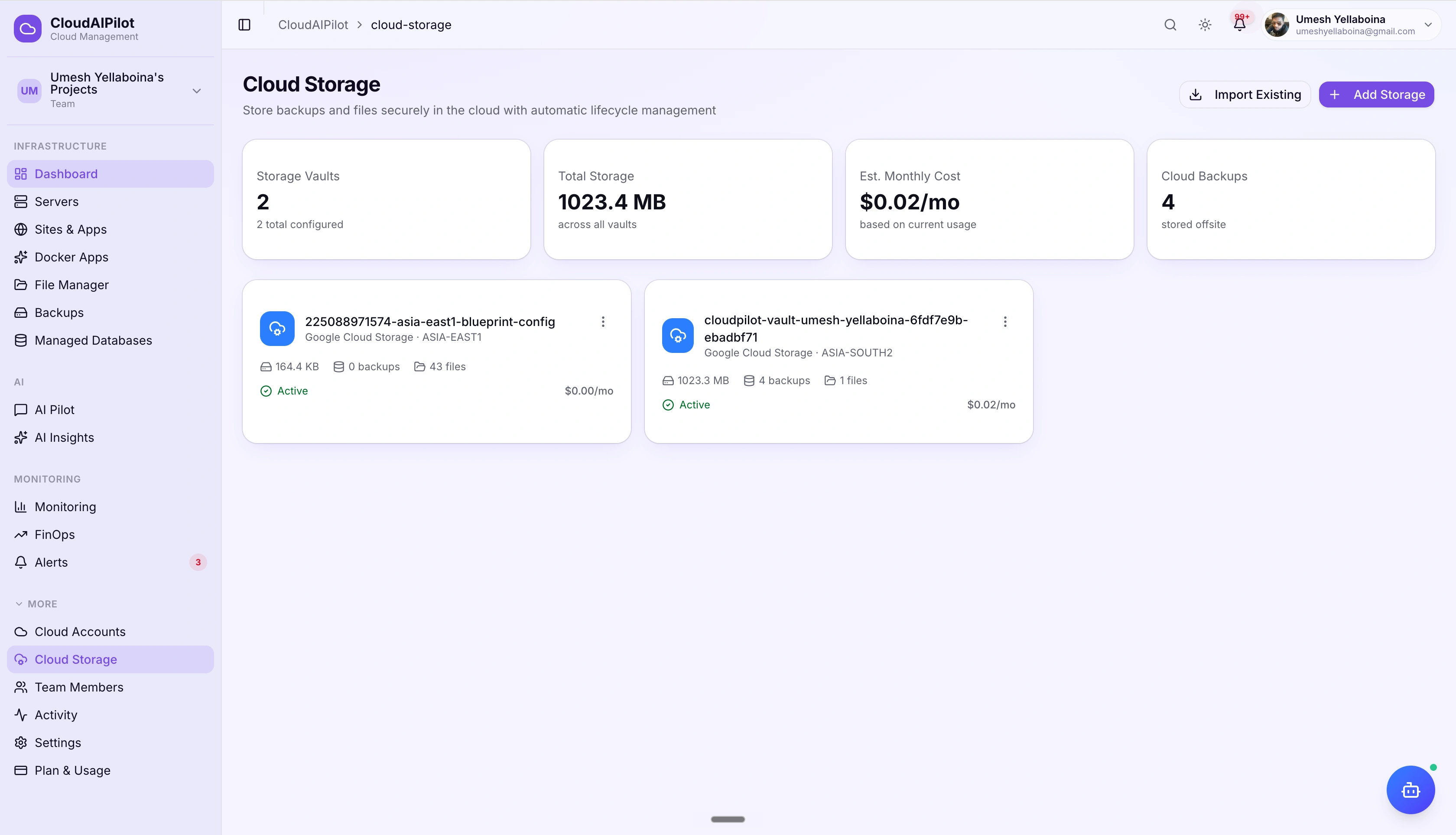
One vault. Four clouds. Zero console logins.
Your cloud storage bucket is already paid for: CloudAIPilot just gives you a proper interface to use it, without ever touching the S3 console, gsutil, or Azure Portal again.
Any provider, one interface
Connect to Amazon S3, Google Cloud Storage, Azure Blob, or DigitalOcean Spaces, your choice. Import an existing bucket you already own or let CloudAIPilot create a new one with a single click. Switch providers any time without changing your workflow.
Automatic lifecycle tiering
Files don't stay hot forever. CloudAIPilot sets up lifecycle rules that move your data through Standard → Infrequent Access → Glacier (S3) or equivalent tiers automatically. Old backups cost a fraction of what new ones do, without any manual intervention from you.
Cost transparency, before you commit
The vault setup dialog shows per-GB pricing for every provider and region before you create anything: 10 GB, 100 GB, and 1 TB estimates side by side. Storage is billed directly by your cloud provider at their published rates. CloudAIPilot adds zero markup.
Three tabs. Complete visibility.
Every storage vault gets a detail page with three tabs: backups, manually uploaded files, and a raw bucket browser showing everything stored in the bucket, tracked or not.
Backups
Paginated list of all backup archives stored in the vault: file name, size, upload date, and origin server. Each row has a Restore button to push the archive back to any running server, and a Delete to remove it from the bucket.
Files
Manually uploaded files: logs, configs, exports, certificates, and more. Download directly to your browser, send to any connected server, or delete. File types are tagged so you can see at a glance what category each file belongs to.
Browse Bucket
Raw bucket object browser: shows every file stored in the bucket, including objects not managed by CloudAIPilot. Useful for auditing what's actually in the bucket, recovering untracked files, or verifying lifecycle transitions have taken effect.
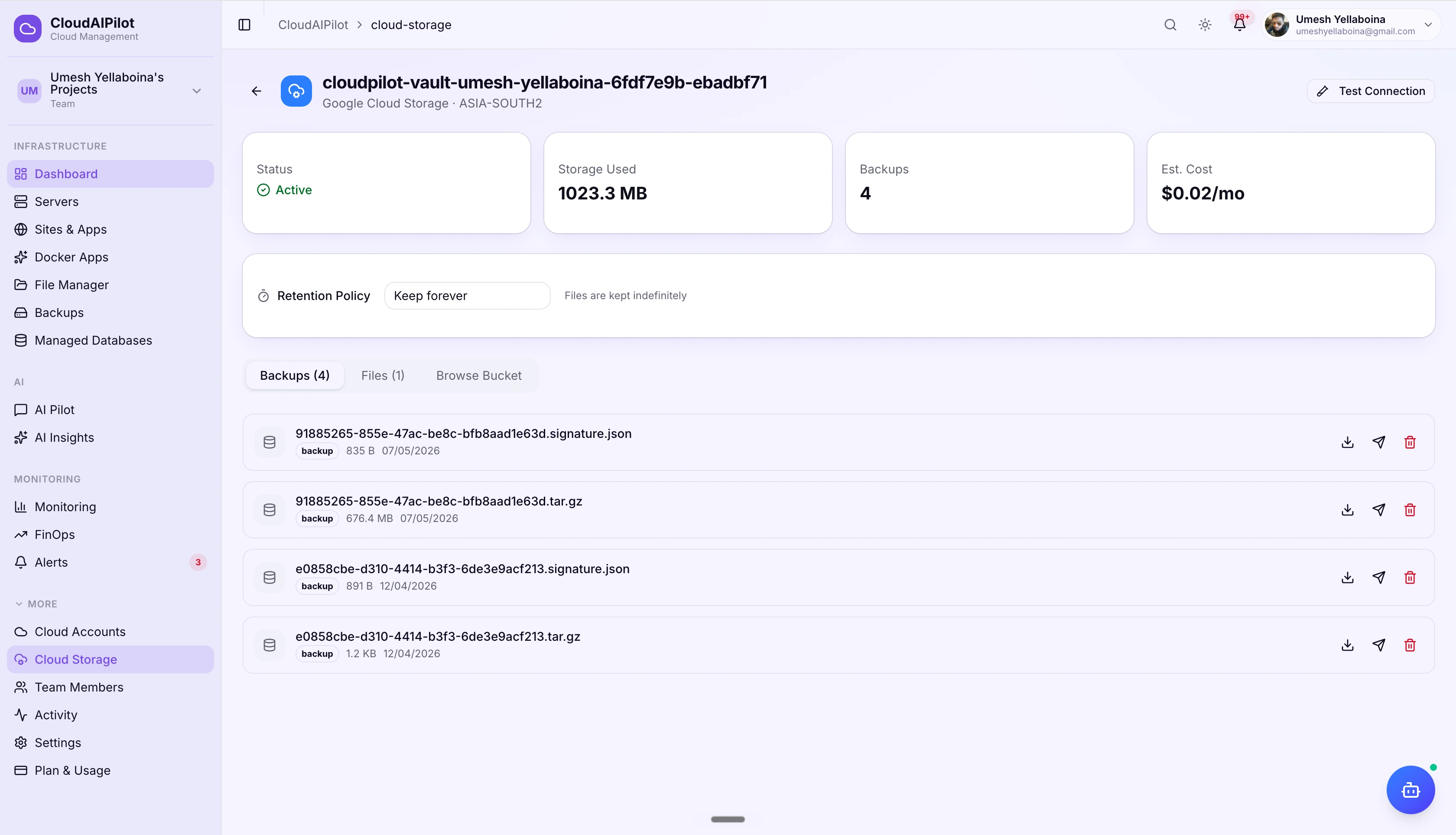
Survive anything. Restore anywhere.
Server deleted. Ransomware. Region outage. If the server is gone, your backups aren't: they live in the vault on a completely separate cloud account. Restore to any running server with one click, even if the original is long gone.
Automatic upload after backup
Every completed backup is pushed to the vault automatically, no manual steps, no scripts. The backup job and the upload are tracked together.
Restore to any server
Pick any running server as the restore target, not just the original. Move workloads across regions or providers during a restore.
Backup discovery
CloudAIPilot scans .signature.json metadata files in your bucket to recover backup records from deleted servers or organisations, orphaned archives become restorable again.
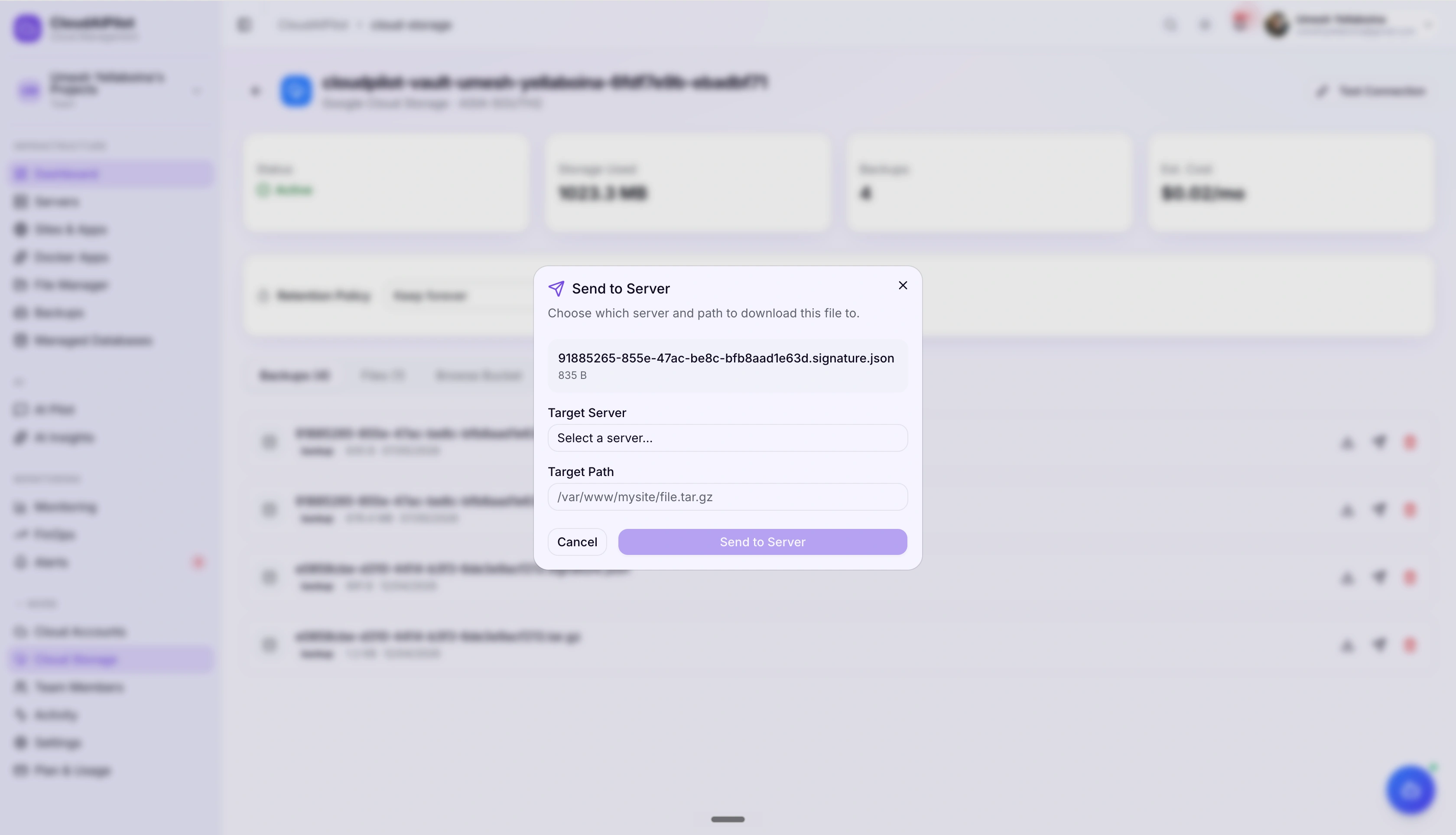
Move files. Without touching a terminal.
Upload any file from a connected server to the vault, download it to your browser, or push it directly from the vault to another server, all over WebSocket with a live progress bar. No SCP, no SFTP client, no AWS CLI.
Server → Cloud upload
Select any file on a server and push it to the vault. Progress streams live via WebSocket. Supports logs, configs, exports, certificates, and general files.
Cloud → Browser download
Download any file from the vault directly to your browser. No presigned URL fiddling: CloudAIPilot handles the stream.
Cloud → Server transfer
Send a file from the vault to any connected server. Use this to distribute configs, deploy assets, or seed data across your fleet without a staging step.
Single-file upload limit: 5 GB (S3, Azure Blob, DO Spaces) · up to 5 TB on Google Cloud Storage.
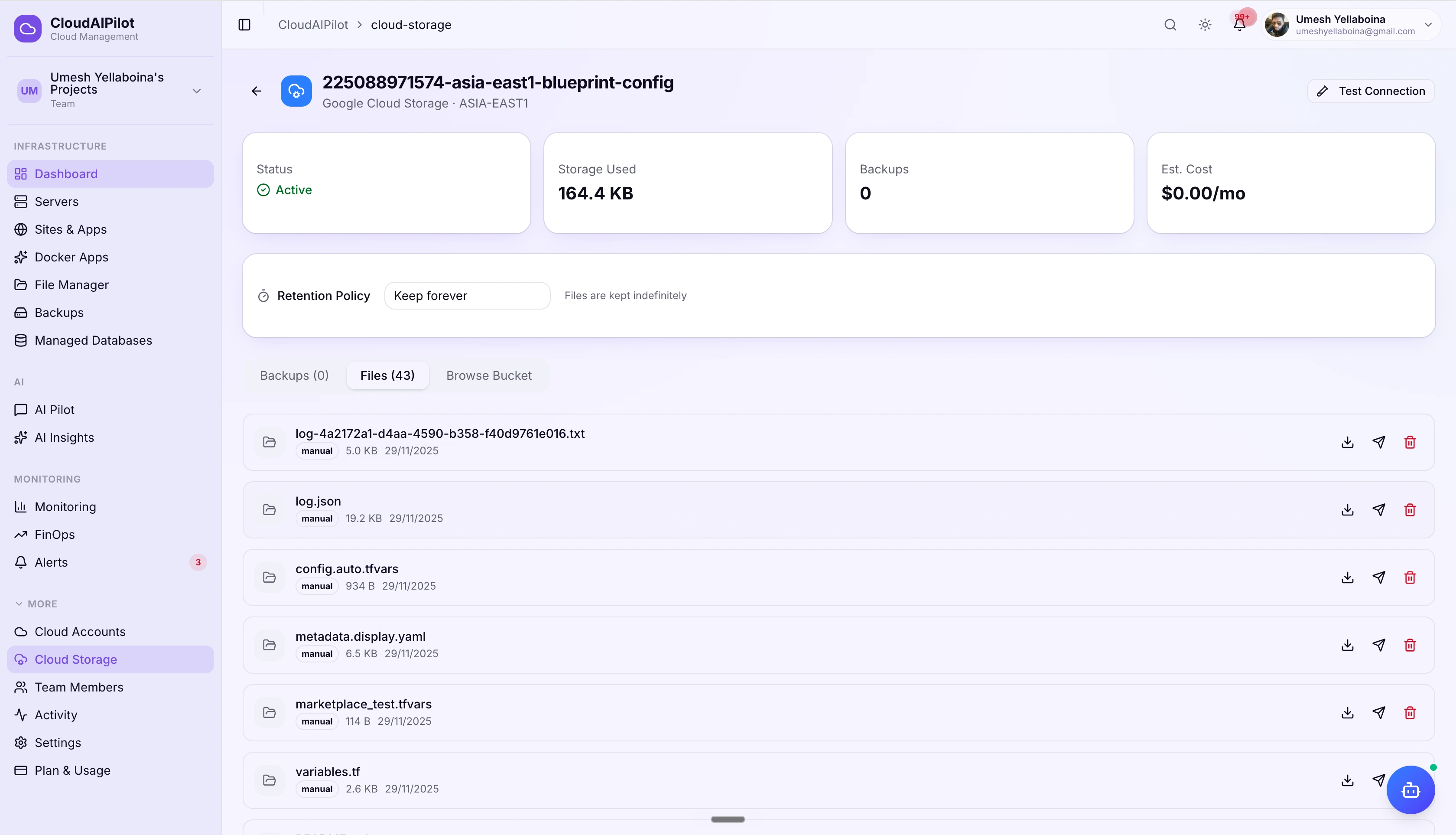
Connected in three steps
CloudAIPilot wraps your existing cloud storage credentials: no new accounts, no IAM rabbit holes beyond what you already set up for server provisioning.
Connect a cloud account
Use the same AWS, GCP, Azure, or DO account you already connected for server management. No extra credentials needed.
Create or import a bucket
Let CloudAIPilot create a new bucket with an auto-generated name, or point it at an existing one you already own. Connectivity is verified before saving.
Files flow in automatically
Completed backups upload to the vault automatically. You can also push any file from a server or download from the vault to your browser, all from one dashboard.
Storage costs drop automatically over time
Set it once. CloudAIPilot configures lifecycle rules directly on the bucket: data moves through tiers automatically, no cron jobs, no scripts.
Hot data stays fast. Old data gets cheap.
Lifecycle rules are written to the bucket when you configure the vault. You set the retention policy and CloudAIPilot does the rest: the same pattern applies across all four providers using each provider's native equivalent.
Set how long the vault keeps files before automatically deleting them: 7 days, 30 days, 90 days, 1 year, or keep forever. Retention applies per vault so you can have a short-lived staging vault and a long-lived production vault side by side.
Before you create a vault, the setup dialog shows what storage will cost at the current provider and region: broken down for 10 GB, 100 GB, and 1 TB. Prices reflect the provider's published rates. CloudAIPilot adds no markup.
Four providers. Your data, your choice.
No lock-in. Migrate between providers any time by creating a new vault and pointing your backup jobs at it. Your data stays in your own cloud account, always.
Prices are provider published rates. CloudAIPilot adds no storage markup: you pay your cloud provider directly.
Off-site backup storage.
Set up in minutes.
Connect your first cloud storage vault free, no scripts, no console logins, no markup on storage costs.
Free tier includes 1 cloud storage vault · No credit card required